
Need to update your garage access? Follow this step-by-step guide to quickly and safely learn how to change the code on the garage door keypad for Liftmaster and Genie models.
Homeowners often change keypad codes for added security, after moving into a new home, or to reset access after sharing temporary codes. It’s a simple task that can make a big difference in securing your garage and home.
Many modern garage door systems, especially brands like Liftmaster and Genie, offer user-friendly keypads that simplify changing the code. With a few button presses and knowledge of your model, the process usually takes less than five minutes.
Understanding how to change code on garage door keypad empowers you to take control of home access and avoid relying on professional services for basic tasks. This guide breaks down brand-specific instructions to help you confidently make the change.
Liftmaster Garage Keypad Reset: Step-by-Step Made Easy
Resetting your LiftMaster garage door keypad is straightforward and takes just a few simple steps. Whether updating your code for security reasons or clearing out old access codes, this guide will walk you through each part of the process.
1. Locate the “Learn” Button on the Opener Unit
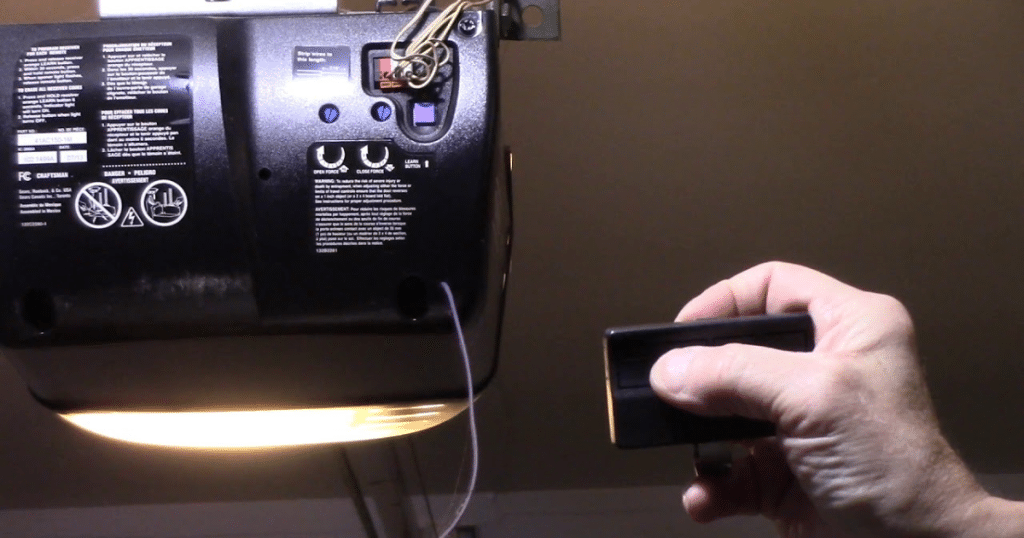
The first step is to find the “Learn” button on your LiftMaster garage door opener. This button is typically located on the motor housing of the ceiling-mounted unit inside your garage. Depending on the model of your opener, you may need to open the light lens cover or remove a rear panel to access it.
The “Learn” button is usually color-coded (commonly yellow, red/orange, or purple) and clearly labeled. It’s near a small LED indicator light. Knowing where this button is will be essential for the reset process.
2. Erase the Old Keypad Code
To start fresh, you’ll need to erase the existing keypad code. Here’s how:
- Press and hold the “Learn” button on the opener until the LED light next to it turns off. This usually takes about 6 seconds.
- Releasing the button after the LED goes out will clear the system’s memory of all previously stored remote and keypad codes.
This step removes any old or unwanted codes, preventing unauthorized access to your garage.
3. Set a New Keypad Code
Once the old codes are erased, you can immediately set a new access code:
- Press and release the “Learn” button again. The LED light will turn on, indicating that the opener is in programming mode and ready to accept a new code.
- You now have 30 seconds to complete the following steps.
- Go to your keypad mounted outside the garage.
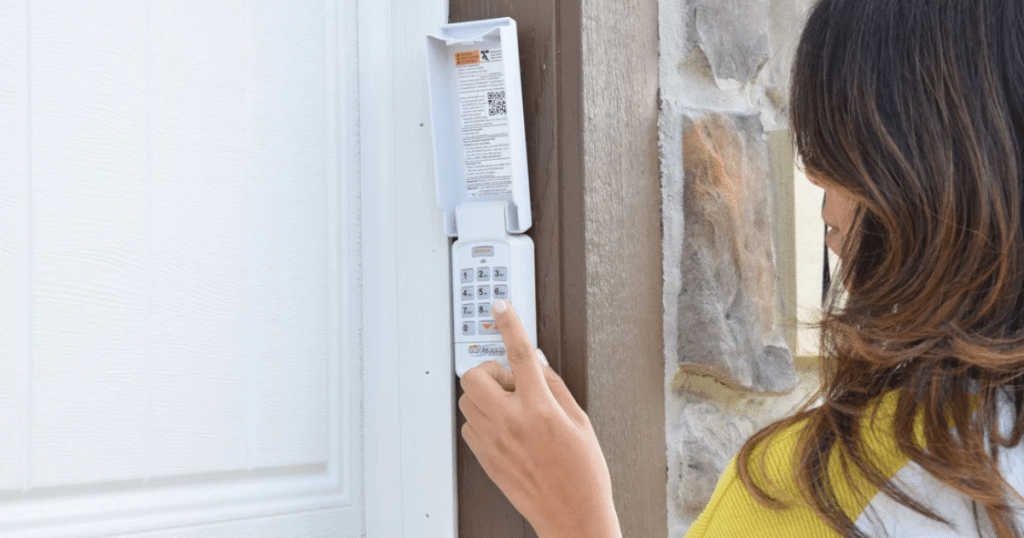
- Enter your desired new 4-digit PIN (choose something secure but memorable).
- After entering the code, press the ENTER button on the keypad.
If successful, you’ll hear a click from the motor unit or see the garage light blink. This confirms that the new code has been programmed correctly.
4. Test the New Code
Wait a few seconds to ensure everything is working, and then use your newly programmed 4-digit code to operate the new garage door. If the door opens or closes, your setup was successful.
Genie Garage Keypad Code Change Instructions
1. Access Programming Mode on the Keypad
Most Genie garage door keypads are equipped with a PROGRAM or SET button. This button is typically hidden behind the keypad’s battery cover to prevent accidental presses and unauthorized changes. To begin:
- Carefully remove the battery cover on the back or underside of your keypad to reveal the PROGRAM or SET button.
- Make sure the keypad has fresh batteries installed before starting the programming process to avoid interruptions.
2. Reset the Keypad and Add Your New Code
Once you have accessed the PROGRAM button, follow these steps to clear the old code and enter a new one:
- Press and hold the PROGRAM button until the keypad’s red indicator begins to blink. This blinking light indicates that the keypad is now in programming mode and ready to accept a new code.
- Enter your desired PIN using the number keys. Depending on your preference and security needs, the PIN can be between 3 and 8 digits.
- After entering your new code, press the UP/DOWN or SEND button (depending on the model of your keypad)
- The LED light should blink again, confirming that the code has been stored.
- Press the UP/DOWN or SEND button again to complete the code entry process.
3. Sync the Keypad With the Garage Door Opener
Now that your new code has been set on the keypad, you’ll need to sync it with the garage door’s motor unit:
- Locate the Learn button on your Genie garage door opener’s motor unit. This is usually found near the antenna wire or under a light cover. It may be labeled “Learn,” “Program,” or “Set,” and it is often a small, colored button.
- Press and release the Learn button on the opener. You’ll typically have 30 seconds to complete the following steps before the opener exits programming mode.
- Within this time frame, return to your keypad, enter the new PIN code you just set, and press the UP/DOWN button once.
- The garage door should move—either opening or closing—signaling that the new code has been successfully programmed and synced with the opener.
4. Confirm and Test
To ensure everything is working correctly:
- Wait a few seconds and then try again using your new code on the keypad.
- The garage door should respond promptly, confirming the new code has been accepted.
Best Practices for Keypad Code Security
- Avoid easy combinations like 1234 or your address numbers.
- Update your code if you suspect unauthorized access.
- Don’t share the code casually. Treat it like a house key.
- Periodically change the code every 6-12 months.
Being proactive with code management protects your belongings and gives your family peace of mind.
Common Mistakes When Changing Garage Door Keypad Codes
Changing the code on your garage door keypad can seem like a simple task, but overlooking key steps can lead to frustration or even compromise your home’s security. One of the most frequent questions homeowners ask is, how do you change code on garage door keypad systems without running into trouble? Here are some common mistakes to avoid:
1. Rushing the Process:
Take your time and follow the instructions carefully. Many keypads require you to wait for a specific LED light to confirm each step. Moving too fast may cause the system to ignore your input.
2. Skipping the Erase Step:
Always clear out any old codes before programming a new one. Failing to do so can allow old codes to remain active, which may leave your system exposed to unauthorized access.
3. Entering Incorrect PIN Formats:
Garage door keypads are brand-specific when it comes to PIN length and format. Make sure to check your model’s requirements, some require 4 digits, others 6. Entering the wrong format may cause the reprogramming to fail.
4. Using Weak or Old Batteries:
Before you begin reprogramming, replace the keypad’s batteries with fresh ones. Low battery power can interrupt the process or cause the keypad to lose the new code shortly after it’s set.
Avoid these missteps and you’ll complete your code change quickly and effectively.
Troubleshooting: What If the New Code Doesn’t Work?
- Recheck your steps: Start over and follow the correct sequence.
- Inspect the keypad: Make sure it’s not damaged or weather-exposed.
- Replace batteries: Low battery power can interfere with syncing.
- Reset the opener: In some cases, a full reset of the garage door opener may be required.
You might need a professional garage door repair if these steps don’t resolve the issue.
Frequently Asked Questions
Can you close garage door with keypad without code?
No, you typically cannot close the garage door using the keypad without entering a valid code. The keypad requires a programmed code for both opening and closing as a security measure. This prevents unauthorized access or tampering.
Can you program more than one garage door to a keypad?
Yes, many keypads can be programmed to control multiple garage doors. The process depends on your keypad and opener model, but it usually involves assigning different codes or buttons to each door. Refer to your manufacturer’s manual for the specific steps.
How to program a keypad for a garage door?
To program a keypad, press the “learn” button on your garage door opener, then enter your desired code on the keypad within 30 seconds. Press the enter key, and wait for the light on the opener to blink or turn off. This signals that the programming was successful.
How to open a garage door with a code?
Enter the programmed PIN on the exterior keypad to open a garage door with a code. After typing the correct code, press the “Enter” or designated open button. If the code is accurate, the garage door will automatically lift open.
Conclusion: Secure Your Access with Confidence
Knowing how to change the code on a garage door keypad is essential for home security and peace of mind. Whether you use a Liftmaster or Genie keypad, following the correct steps ensures your home remains protected from unauthorized entry. These tasks are easy to perform and can be completed in just a few minutes.
Liftmaster and Genie offer streamlined reprogramming options, with intuitive keypads and built-in Learn functions that make the process user-friendly. As with any security-related component, updating your access settings regularly is an important homeownership practice.
BSD Garage Doors is ready to assist if you ever encounter challenges or prefer expert help. We specialize in secure, seamless keypad code changes for all major brands.
End Note
BSD Garage Doors is your local expert for garage door security, keypad integration, and opener upgrades in Naperville, IL. We bring years of experience, professional service, and quality workmanship to every job. Whether it’s keypad repair or installing electric openers, our team is ready to serve.
We specialize in integrating high-tech keypad access with all garage door models and brands. BSD Garage Doors uses only the most reliable products from top manufacturers like Liftmaster and Genie. Explore our services in Naperville or check out our full repair solutions.
To learn more about us, visit our About Us page, see our service areas, or book online for a quick appointment. We also serve nearby areas like Arlington Heights and provide affordable pricing for every service. Stay connected with us on Facebook, Twitter, and LinkedIn for updates and tips on garage doors.
BSD Garage Door, LLC
955 West 75th Street, Naperville, IL, 60565, United States
(844) 655-3937
(630) 518-7962